
|
Listen to the article
Getting your Trinity Audio player ready...
|
Log Retention: How Much to Save, How to Version, and How to Avoid "Orphaned Files" Using a CMMS
Records management in industrial maintenance is a constant challenge for maintenance managers. Information generated by work orders, inspection reports, asset resumes, and failure analysis adds up quickly.
Without a clear strategy, data can lose value, hinder traceability, and lead to audit risks. In this context, the use of CMMS software such as CMMShere becomes an indispensable tool for structuring, conserving and taking advantage of this information, allowing efficient technical management and ensuring the integrity of records.
How long should maintenance records be kept?
The question of log retention duration is common in maintenance departments. The answer depends on several factors:
1.- Legal and regulatory regulations
In industries such as energy, manufacturing, healthcare, and food, there are regulations that require keeping records for specific periods. For example, ISO 55000 on asset management recommends keeping complete records over the lifetime of critical assets. In environmental or quality audits, documentary evidence of interventions and controls must be available for at least five years.
2. Internal requirements
Beyond legal requirements, record retention is key to trend analysis and continuous improvement. Maintaining a history of work orders, failure reports, and resumes allows maintenance managers to identify recurring patterns, assess equipment reliability, and justify investments in spare parts or replacements.
3. Complaint and support cases
In situations where claims are filed for failures, damages, or breaches of contract, having historical records allows you to demonstrate compliance with maintenance plans and defend the company’s position before third parties.
4. Technical recommendations
- For critical assets, it is recommended to retain records for their entire lifetime.
- For secondary assets, keeping the information for five years is usually sufficient for analysis and auditing.
- Inspection records, reports and work orders must be stored in digital format, with periodic backup.

Record Versioning: Why Is It Essential?
Versioning is a practical technique that ensures the traceability of every change made to maintenance records. In an environment where multiple technicians can intervene on the same record, versioning allows:
1.- Full traceability
Each modification is documented, indicating the user, the date and the reason for the change. This is critical in audits, where evidence is requested of who performed each action and why.
2.- Error prevention and restoration
In case of errors, inconsistencies or unauthorized changes, the system allows you to restore previous versions, avoiding the loss of valuable information.
3.- Regulatory compliance
Audits require evidence of changes and justifications. A versioning system facilitates the generation of reports that demonstrate the integrity and transparency of document management.
4.- Practical example
Suppose a technician modifies an asset’s resume to update the maintenance history. The CMMS system records the previous version, the new version, the user, and the reason, allowing the change to be reverted if an error is detected.
How does a CMMS manage it?
The CMMS must incorporate a versioning module thate:
- Store all log edits, from work orders to technical reports.
- Allows you to compare versions to identify differences.
- It offers fast restoration, making it easy to recover information in case of errors.
- Automatically notify managers of relevant changes, ensuring maintenance managers are always informed.
Avoiding "orphaned files": risks and solutions
An orphaned file is a record that loses its link to the asset, work order, or process that makes sense of it. This can happen by:
- Accidental deletion of assets.
- Lack of integration between management systems.
- Disorganization in the structure of folders or databases.
- Poorly executed data migrations.
Consequences
The existence of orphaned files generates:
- Loss of critical information for operation and auditing.
- Difficulty analyzing asset history.
- Risks of regulatory non-compliance.
- Lack of traceability in technical interventions.
Technical solutions with CMMS
CMMS prevent the creation of orphaned files by:
- Automatic linking: Each record is associated with an asset, work order, user, and date. This ensures that all information is interconnected and easily traceable.
- Validations before deletion: The system warns if there are dependent records before allowing the deletion of an asset or document, avoiding the loss of relevant information.
- Hierarchical structure: Records are organized in a relational database, where each document is linked to its operational context. This eliminates the possibility of loose or disorganized documents.
- Integration with other systems: Synchronization with SAP and other management systems prevents duplication and loss of records during migrations or upgrades.
Technical example
When an asset is deleted in the CMMS, the system analyzes whether there are any associated work orders, reports, or inspections. If it detects dependent records, it requests special authorization and offers options to reassign or archive the information, ensuring documentary integrity.
Benefits of a CMMS in Records Management
Using a CMMS like CMMShere brings technical and operational benefitss:
1. Data centralization: All records are stored on a centralized platform, accessible from web and mobile. This makes it easy to consult, edit and analyze information in real time.
2. Security and backup: CMMShere performs automatic backups and allows you to configure user permissions, ensuring the protection of sensitive data and recovery from incidents.
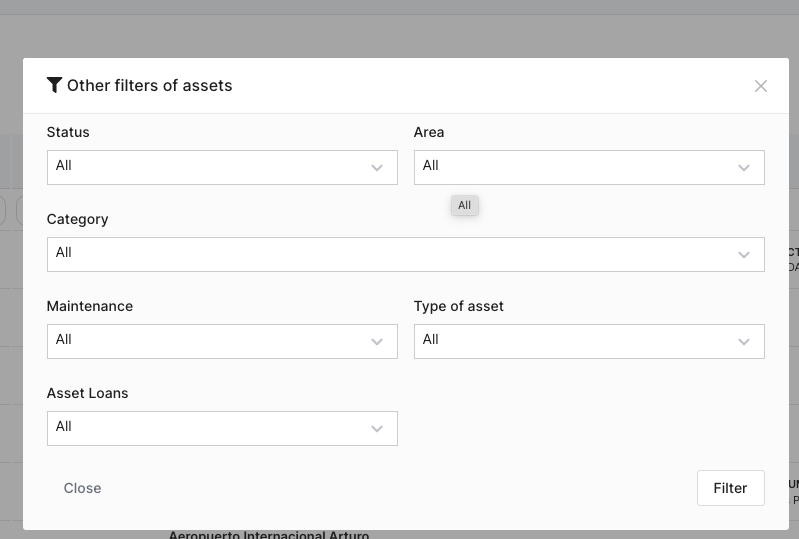
3. Quick access and advanced search: The system offers filters by asset, date, type of record and user, allowing you to locate specific information in seconds.
4. Integration and synchronization: Integration with SAP and other systems ensures that records are always updated and synchronized, avoiding duplication and errors in document management.
5. Key indicators and reports: CMMShere generates indicators such as MTBF, MTTR and availability, from historical records. Personalized PDF reports include photos, digital signatures and evidence of each intervention.
Best Practices for Maintenance Managers
- To optimize records management, it is recommended to: Define retention policies: Consult regulations and establish clear deadlines for each type of record. This prevents unnecessary storage and ensures legal compliance.
- Version all relevant records: Work orders, reports, resumes, and plans must have version history to ensure traceability.
- Avoid single files: Use the hierarchical structure of the CMMS and link each record to its operational context.
- Audit periodically: Review records, detect inconsistencies, and correct errors to maintain document integrity.
- Train the team: Ensure that all technicians understand the importance of document management and use the system correctly.
- Make scheduled backups: Set up automatic backups and verify their correct execution.
- Update procedures: Review and adjust document management procedures as operational and regulatory needs evolve.
Log management, versioning, and orphan file prevention are critical tasks for maintenance managers.
A CMMS simplifies these processes, ensuring security, access, and regulatory compliance.
Adopting these practices allows you to make the most of the information generated and make data-driven decisions, optimizing asset reliability and operational efficiency.
Interested in deepening your knowledge of maintenance management?
Check out other articles on our blog and find out how to optimize your processes with CMMShere.
No comment yet, add your voice below!